
From your SMS.to account, you can decide exactly what types of emails and SMS messages you wish to receive from us. To customize these, simply go to Settings → Notifications: Notification Settings | SMS.to
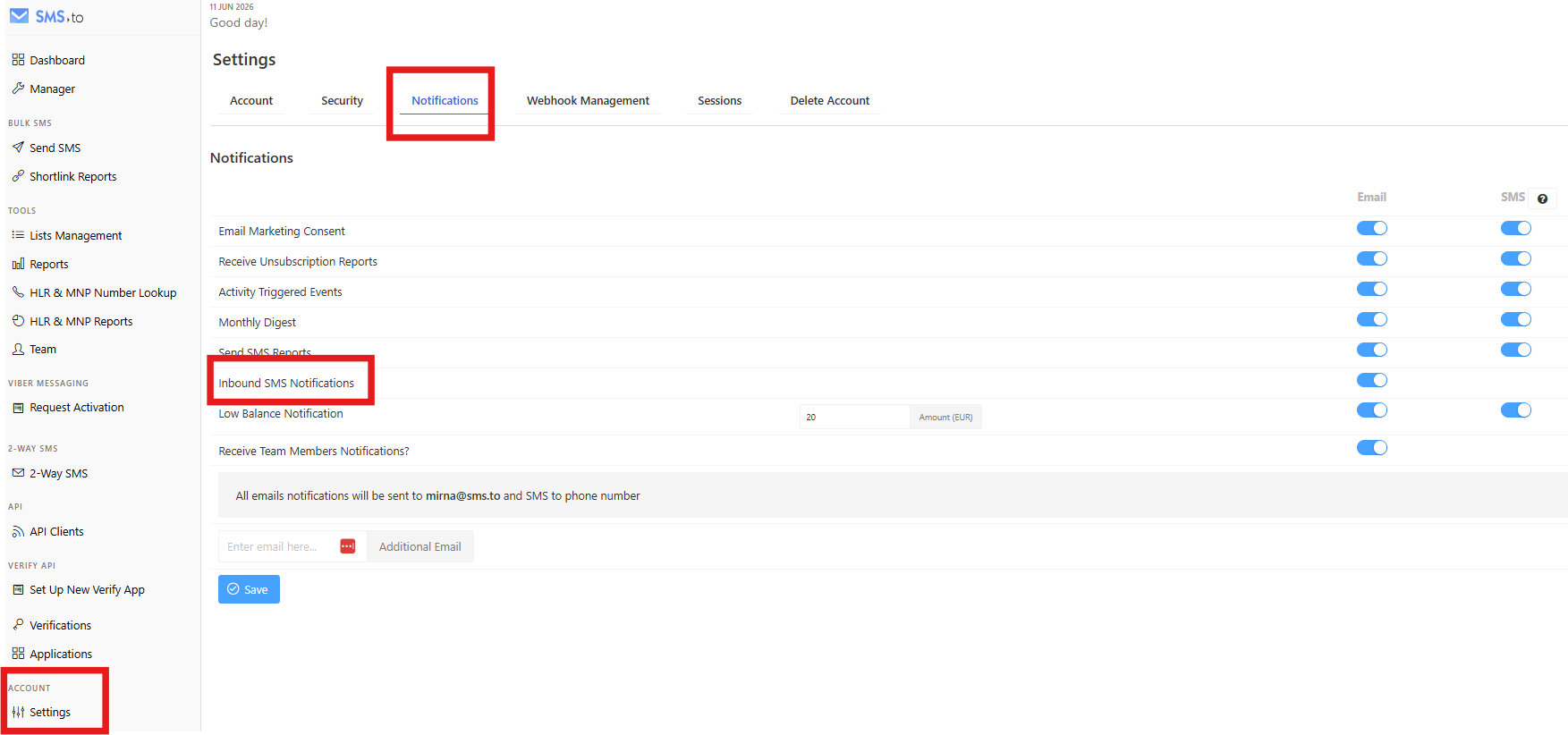
You can activate or deactivate the following categories according to your needs:
1- Email Marketing Consent
- This setting controls whether you will receive marketing or promotional emails and SMS from us.
- If you prefer not to receive any promotional communication in the future, make sure this option is disabled.
2- Receive Unsubscription Reports
- Get notified via email or SMS whenever a contact unsubscribes from your campaigns.
- Helps you keep track of your audience engagement and manage compliance.
3- Activity Triggered Events
4- Monthly Digest
- A summary containing key highlights of your account activity and performance, delivered via email or SMS.
5- Send SMS Reports
- Receive delivery or performance reports via email or SMS.
6- Inbound SMS Notifications — Email only
- Get notified via Email whenever an inbound SMS is received on your number.
- Useful for staying on top of replies and two-way conversations in real time.
7- Low Balance Notification
- A critical notification to avoid service disruption.
- You will receive an email or SMS when your account balance is low so you have time to top up.
- For peace of mind, we also suggest enabling the auto-recharge feature in your account: Auto-recharge feature
8- Receive Team Members Notifications — Email only
- Get alerts about activities performed by your team members on the account.
If you need any help adjusting your notification and consent preferences,
please contact our support team at support@sms.to